


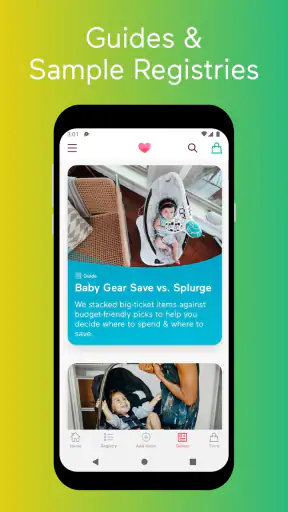
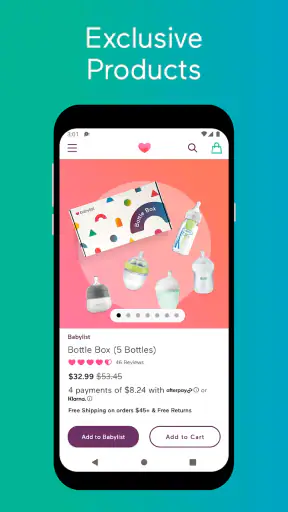
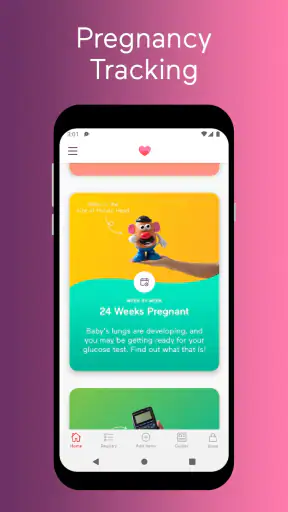
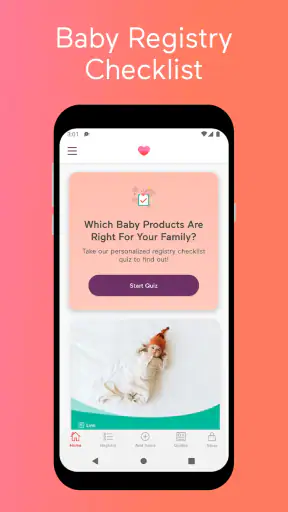
Preparing for a baby often means collecting ideas from many different shops, saving links, comparing practical needs, and trying to explain your choices to family and friends. Babylist Baby Registry is a lifestyle app built around making that process more manageable. I found its central idea useful: instead of forcing every item into one retailer’s catalog, it lets you organize products from different stores in one registry. That approach makes it feel less like a shopping app and more like a shared planning workspace for a major life change.
Babylist Baby Registry is developed by Babylist Inc and is available free of charge. It is rated for Everyone, so its intended audience is broad, although the subject matter is naturally most relevant to expecting parents, parents adopting a child, and the people helping them prepare. The app has been available since April 16, 2014, and its current version is 3.88.0 for devices running Android 7.0 or later. On the Android store, it has passed one million installs, with an average rating of 4.8 from around nineteen thousand ratings and roughly three thousand five hundred written reviews.
How the registry works in everyday preparation
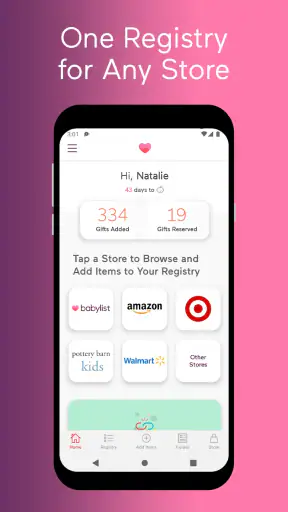
The biggest difference between this app and a registry tied to one retailer is the freedom to think about the baby first and the shop second. If I find a stroller at one store, feeding supplies at another, and a particular blanket or book somewhere else, I can bring those choices together rather than maintaining several separate lists. That is the part of the experience that gives Babylist its identity.
In practical terms, I would use it as a central list for decisions that are usually scattered across browser tabs, notes, messages, and screenshots. A registry is not only about asking other people for gifts. It is also a way to remember what has already been considered, what still needs attention, and which items matter most to the household. Keeping those thoughts together can reduce the mental load during a busy period.
The app makes the most sense when several people are involved. A partner can look over the same choices, relatives can see what is wanted, and friends can use the registry as a guide instead of guessing. That shared purpose is more valuable than simply having another place to save products. It can make conversations more concrete: rather than saying “we still need baby essentials,” I can point to the actual registry and discuss priorities.
There is also a useful distinction between a registry and a conventional shopping basket. A basket is normally tied to an immediate purchase from one store. A registry is more like a public or shared plan, where the timing, buyer, and retailer may vary. Babylist’s cross-store approach supports that difference well, especially for people who do not want their entire preparation list dictated by one retailer’s inventory.
Why the multi-store approach matters
Many parents begin with a recommendation from a friend, then discover that the item is sold elsewhere or that another version suits their home better. With a single-store registry, that can create an awkward choice: abandon the preferred product, create another list, or ask guests to search manually. Babylist is designed for the opposite workflow. I can start with the product I actually want and use the registry as the organizing layer.
That flexibility is particularly helpful for unusual or highly personal items. Some families care about a certain material, size, design, or compatibility detail that is not easy to replace with a generic alternative. Others may want local products, handmade pieces, or items from specialist shops. A universal registry is better suited to those situations than a retailer-specific list.
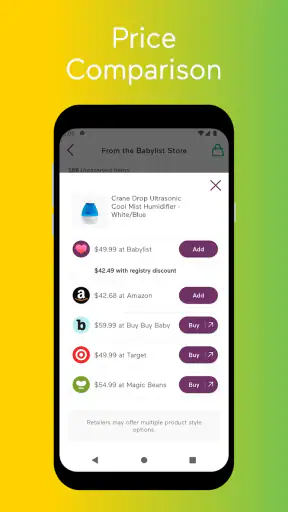
There is a trade-off, though. A single retailer often provides a smoother checkout because its prices, stock, delivery options, and returns are handled in one place. A multi-store registry gives me more choice, but it also makes the purchasing journey less uniform. The app helps organize the wish list; it does not remove the need to pay attention to the individual shop behind each item.
That is an important expectation to set before using it. I would not treat the registry as a guarantee that every product is available, equally priced, or covered by the same policies. I would use it as a reliable place to communicate what I want, then check the retailer’s details before committing to a purchase.
A realistic use case for a busy household
Imagine that I am preparing for a baby while working full-time and sharing decisions with a partner who has a different schedule. During a lunch break, I find a compact changing solution that fits our apartment. Later, my partner finds a car seat from another shop and a set of feeding supplies from a third. Instead of sending three separate messages and hoping nobody loses a link, we can place the choices in one registry and review them together that evening.
That workflow also helps when family members ask what would genuinely help. Rather than replying individually with changing suggestions, I can direct them to the same organized list. If an item is already being handled, the registry can serve as a visible reference point, reducing the chance of duplicate gifts. I still need to keep the list current, but the shared location is much easier than maintaining several private notes.
A less obvious benefit is that the registry can separate “nice to have” ideas from items that solve an immediate problem. I would create a short mental priority order even if the app does not make that decision for me: first the things needed for daily care, then useful upgrades, then decorative or future purchases. This prevents the list from becoming an attractive but unfocused collection of products.
What I would check before adding an item
My advice is to avoid adding products purely because they are popular or visually appealing. Before saving something, I would check its size, compatibility, quantity, and intended stage of use. A registry can make it easy to collect ideas quickly, but it cannot decide whether a particular item fits my home, routine, or budget.
I would also add notes for myself when a product has a specific reason for being there. For example, an item might be chosen because it folds away, works in a small room, or matches equipment already owned. Those details are valuable later, when I am comparing similar products or explaining the choice to someone else. The more intentional the list, the more useful it becomes as a planning tool rather than a digital pile of links.
Another practical habit is to review the registry after a major decision. If I buy something independently, receive it from family, or decide that an item is no longer suitable, I should update the list promptly. A registry loses trust when it contains products that are no longer needed. This is one of the app’s real limitations: organization still depends on the user’s maintenance.
Cost, value, and the limits of free access
The verified price is straightforward: the app is free. That makes it easy to try without committing money to the registry itself. For someone who is still deciding whether a universal registry fits their preparation style, free access lowers the barrier considerably. I can test the workflow, see whether shared planning helps, and decide whether it is worth keeping without treating the app as another pregnancy-related expense.
Free access does not mean every product placed in the registry is free, of course. The app organizes choices, while the items themselves belong to their respective retailers. I would therefore separate two questions: whether using Babylist costs anything, and whether the products I choose are affordable. The first answer is clear; the second depends on the items and shops I select.
This distinction matters when comparing it with a registry offered directly by a large retailer. A retailer’s service may feel more convenient if I already intend to buy everything from that store. Babylist delivers value in a different way: it helps me keep control over where I shop. If that flexibility prevents me from settling for products I do not really want, the free app can be useful even when I ultimately purchase elsewhere.
The value is strongest for people who see organization and communication as the main problem. If my challenge is finding the lowest possible price on every item, I would still need to compare retailers independently. The app is not a substitute for careful shopping. It is a way to make the results of that shopping easier to collect and share.
I also would not assume that one registry automatically produces the best total cost. Different stores can have different delivery charges, return procedures, availability, and timing. A single-store alternative may be better for someone who values one account, one checkout, and one support channel above all else. Babylist’s free access is attractive, but convenience has to be judged against the extra attention that a mixed-retailer list may require.
Where the app delivers value beyond a simple note
A phone note can hold product names and links, so it is fair to ask why a dedicated registry is necessary. In my view, the answer is the social layer. A personal note is mainly for me. A registry is intended to communicate choices to other people and help coordinate gifts. That difference becomes important when several relatives or friends are involved.
A spreadsheet can offer more control over columns, budgets, and custom categories. For a highly analytical household, that may still be the better tool for private planning. Babylist is more approachable for the outward-facing part of the process because the list is built around sharing needs rather than managing a procurement project.
The strongest use is therefore not “save every baby product I see.” It is “create one understandable destination for the people who want to help.” That is a narrower promise, but it is a meaningful one. The app earns its place when it reduces repeated explanations and keeps a scattered shopping process visible to the right people.
Trade-offs I noticed while judging the experience
The first trade-off is breadth versus consistency. Adding items from different shops gives me freedom, but the experience may feel less predictable than a registry contained inside one store. I have to remain aware that the purchase may happen outside the app’s own environment and that the retailer’s conditions still matter.
The second is flexibility versus maintenance. A broad registry can reflect real life better than a fixed catalog, but it also invites more editing. Products may become unnecessary, preferences may change, and family members may interpret an old entry as an active request. I would schedule occasional list reviews rather than assuming that creating it once is enough.
The third is choice versus decision fatigue. It is easy to keep adding possibilities when preparing for a baby, especially when recommendations come from different people. A universal registry can collect those options, but it can also make the list feel overwhelming. I get more value when I use it to narrow decisions, not just preserve every possibility.
There is a fourth trade-off that affects gift-givers. A multi-store list can be more considerate because it reflects the parents’ genuine preferences, but it may require the buyer to visit different retailers. Someone who wants the simplest possible purchase may prefer a conventional registry from one shop. I would choose Babylist when product choice matters more than having every gift follow the same checkout route.
Who will get the most from Babylist?
I think the app is a strong fit for expecting parents who already shop across several retailers. It is also well suited to households with limited space, specific product requirements, or a preference for researching carefully before choosing. If I want one stroller from one shop, nursery storage from another, and everyday essentials from a third, the central registry is more practical than trying to make one retailer’s inventory cover everything.
It can also help families whose support network is spread across different places. A shared registry gives everyone the same reference point, whether they are close by or communicating remotely. The benefit is not that the app makes every decision for me; it is that it gives other people a clearer way to understand the decisions I have already made.
People who are adopting or preparing for a child later in their parenting journey may also appreciate the ability to build a list around their actual circumstances rather than starting with a generic package. The Everyone content rating makes the app broadly accessible, although the usefulness naturally depends on whether I am currently organizing baby-related purchases.
I would be less enthusiastic about it for someone who dislikes online registries, prefers to buy everything in person, or wants a tightly controlled budget spreadsheet. It may also be the wrong choice if I already rely on one retailer and value a single checkout, unified delivery, and one return process more than cross-store freedom.
Likewise, I would skip it as my only planning tool if I need detailed household inventory management. A registry is good for communicating desired items, but a private checklist or spreadsheet may be better for tracking what has already been purchased, borrowed, stored, or ruled out. The best setup may combine Babylist for shared gifting with a simpler private system for personal logistics.
My verdict after weighing the free value
Babylist Baby Registry is worth trying if the main frustration is having baby-product choices scattered across different stores. Its free access makes that experiment easy, and its central concept is genuinely useful rather than merely decorative. I especially like it for families that want to preserve their preferred products while giving friends and relatives one clear place to look.
I would recommend approaching it as a communication and organization tool, not as a replacement for retailer research. Check each product carefully, keep the list updated, and remember that a mixed-store registry can involve more follow-up than a single-store alternative. Those habits address the main weaknesses without undermining the reason to use it.
My final judgment is positive, with a clear condition: the app delivers the most value when flexibility matters more than one-stop shopping. If that describes your preparation, Babylist gives you a sensible way to bring different choices together at no app cost. If your priority is a single retailer, a tightly managed budget, or the simplest possible purchasing process, a conventional store registry may suit you better. For everyone in between, I would install it early, add only considered choices, and use it as the shared home for decisions that would otherwise remain scattered.


